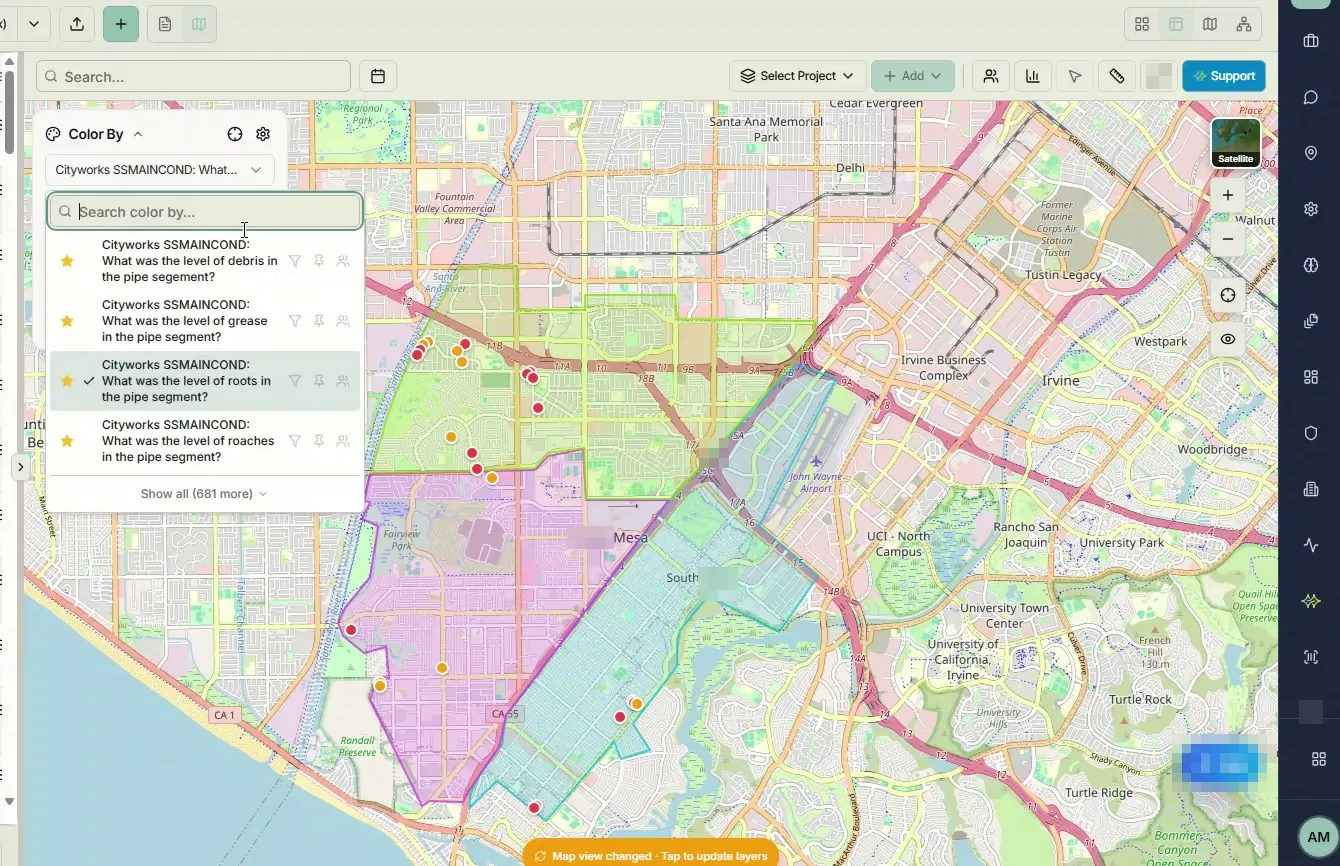
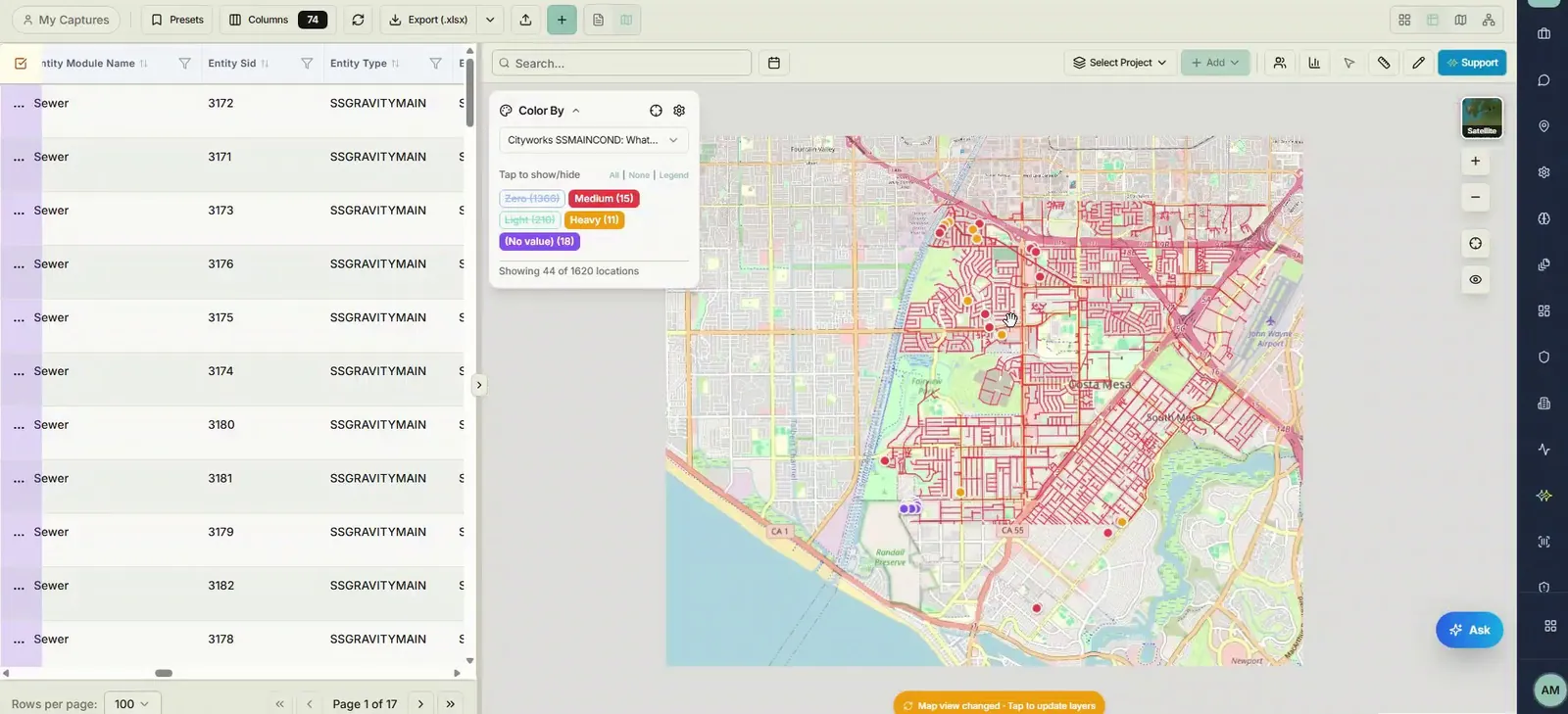
Hot spots by work zone
Draw zones and see where repeat problems cluster across the network.

TeamSolve puts your Cityworks® work orders and inspections on the map next to GIS, pump station data and your documents. Crews and managers find answers in one search, without waiting on a report request.
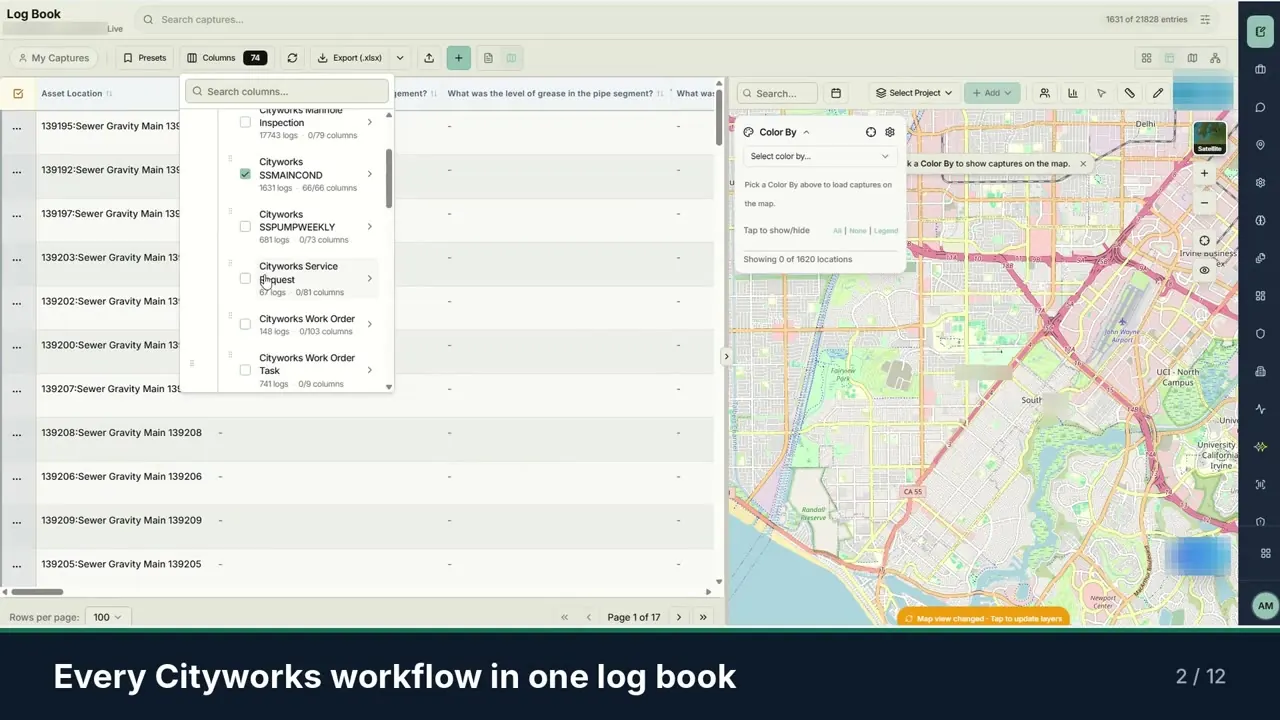
Years of work orders and inspections only pay off if people can find them. TeamSolve makes that history useful for crews, supervisors and the board.
Draw zones and see where repeat problems cluster across the network.
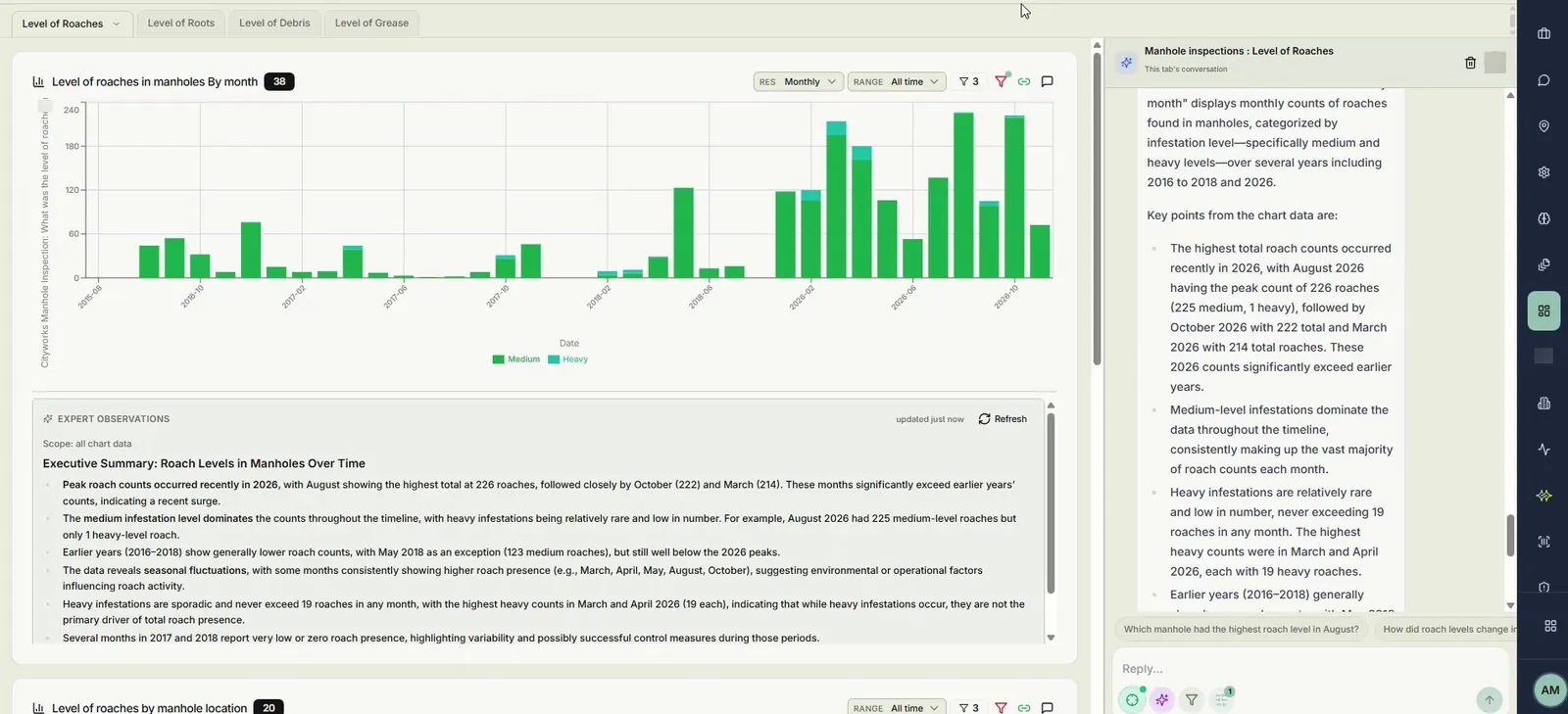
Monthly dashboards with a short written summary, ready to share with your board and management.
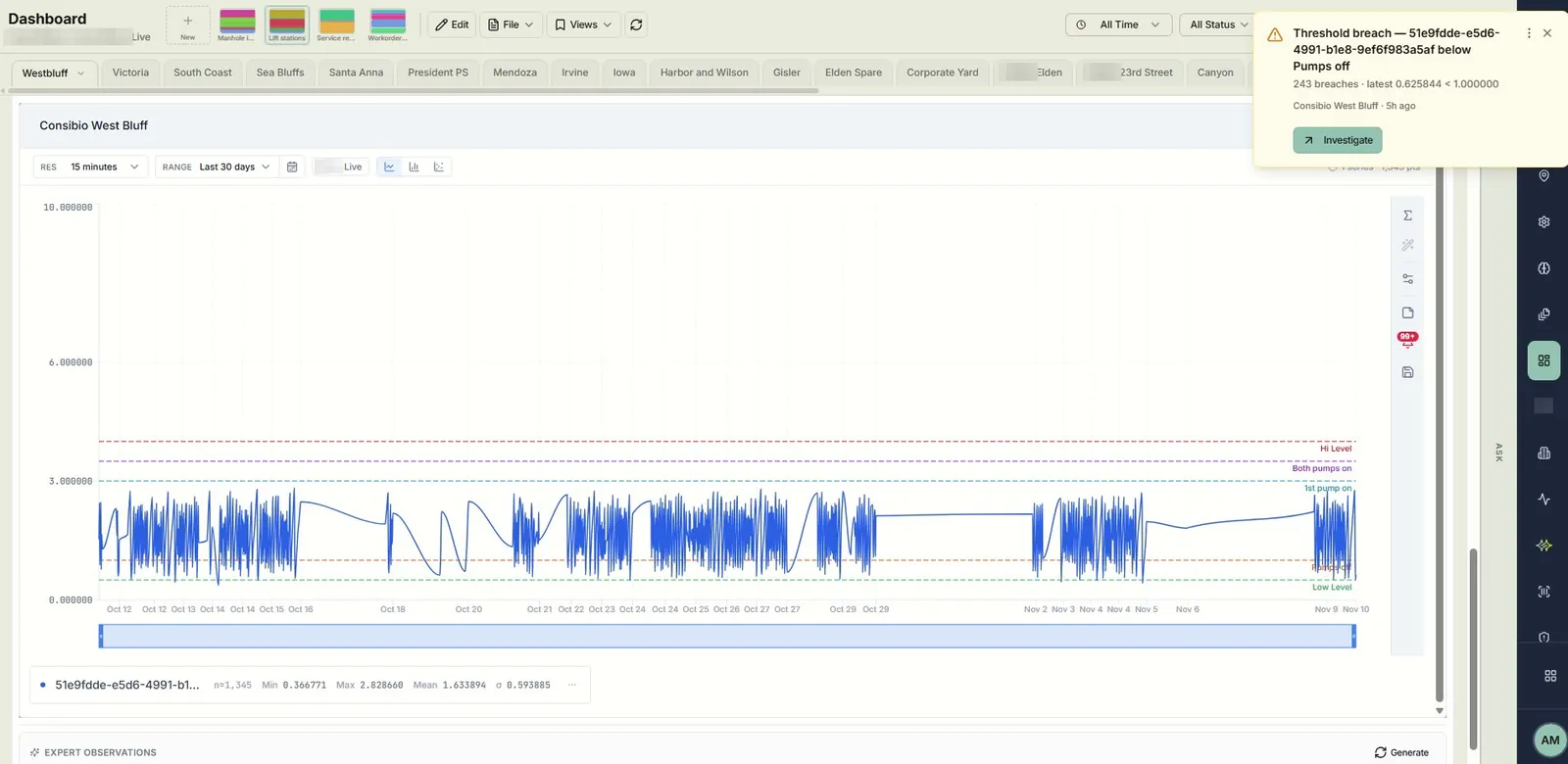
Pump station levels and alarms right next to the work history.
Each Cityworks workflow loads as a searchable log. One search per pipe or manhole replaces digging through linked records.
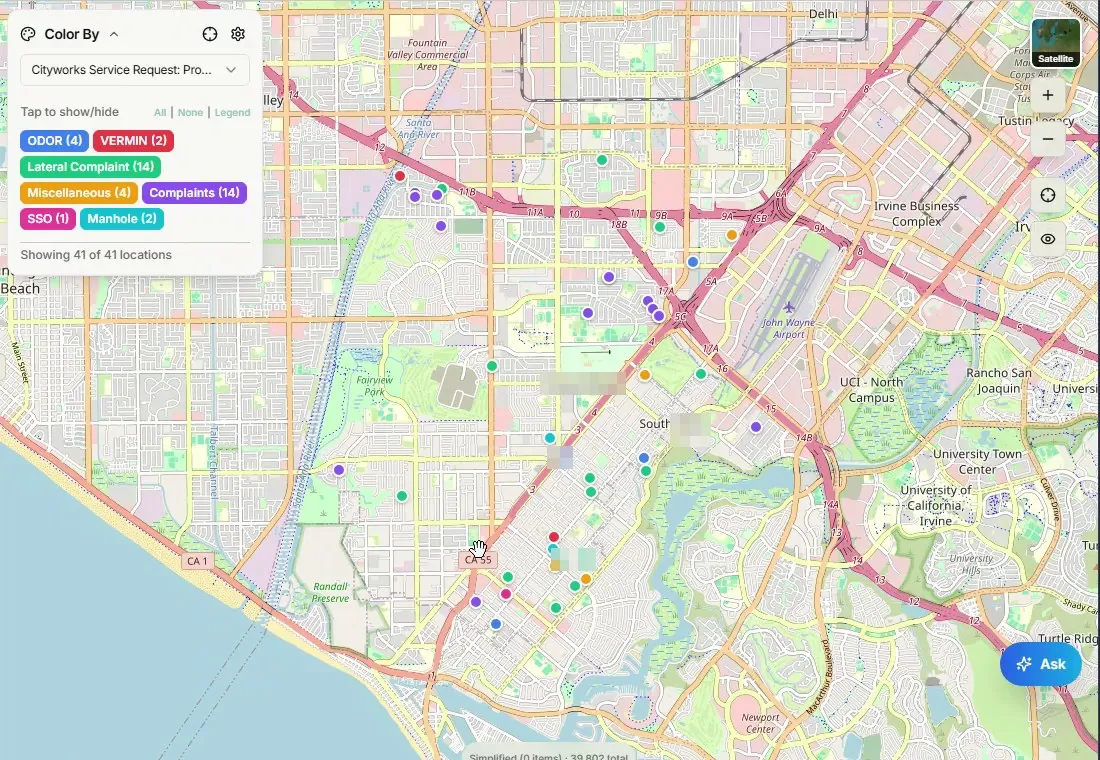
Summary charts and a map of where requests cluster, colored by type, so patterns stand out before they turn into emergencies.
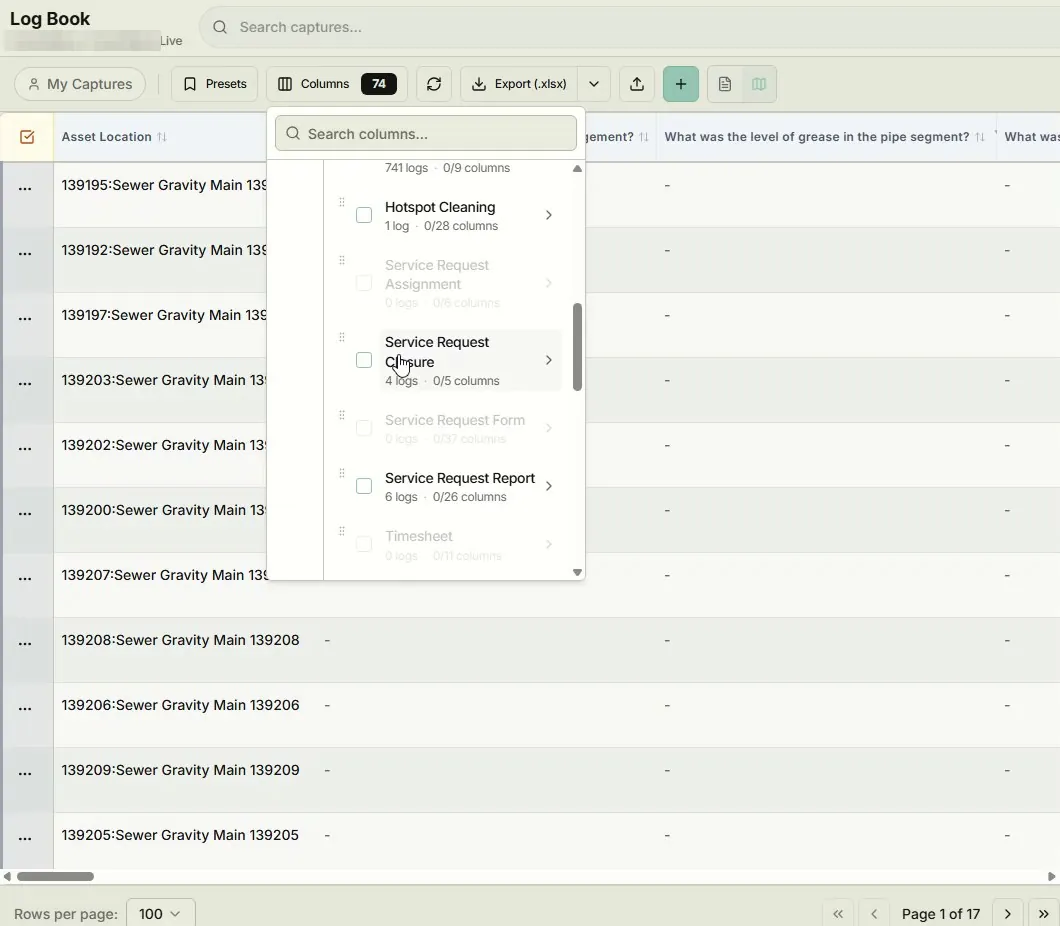
Set up workflows such as hot spot cleaning cycles and write the results back to Cityworks. Track parts and supplies as they move in and out of stock.
No more clicking through screen after screen to piece together one asset's history. TeamSolve was built around how field crews and supervisors actually work.
One search per pipe or manhole. New staff find the history on their own instead of asking whoever has been there longest.
Monthly dashboards and summaries are prepared for you. No more exporting to spreadsheets.
No rip and replace and no migration. New forms write back, so Cityworks stays your system of record.
Work orders, inspections, service requests and sensors on your GIS map, in one place.
Asset history and field know-how stay searchable when experienced staff retire.
Real results without enterprise-scale cost, consultants or a big IT project.
No rip and replace. It works with the Cityworks you already have.
| Cityworks alone | Cityworks + TeamSolve | |
|---|---|---|
| Records | One work order at a time | Every workflow searchable in one place |
| Asset history | Dig through linked records | One search per pipe or manhole |
| Maps | Assets only | Pipes colored by inspection results, work zones |
| Reporting | Exports and manual charts | Board-ready dashboards with written summaries |
| Other systems | Separate screens | Sensors, alarms and documents in the same view |
| Questions | Ask an analyst | Ask in plain language, get answers from your data |
What one operator figures out becomes available to everyone, so everyday work takes less effort and new staff get up to speed sooner.
A standard API connection. Nothing to install on your servers.
Records sync and link to your GIS assets automatically.
Cityworks stays your system of record, including for workflows you add in TeamSolve.
TeamSolve is in production at Costa Mesa Sanitary District on Cityworks, with work orders, inspections, pump station data and GIS in the same view.
We are happy to connect you with a reference customer once we understand your needs.
Ask for a reference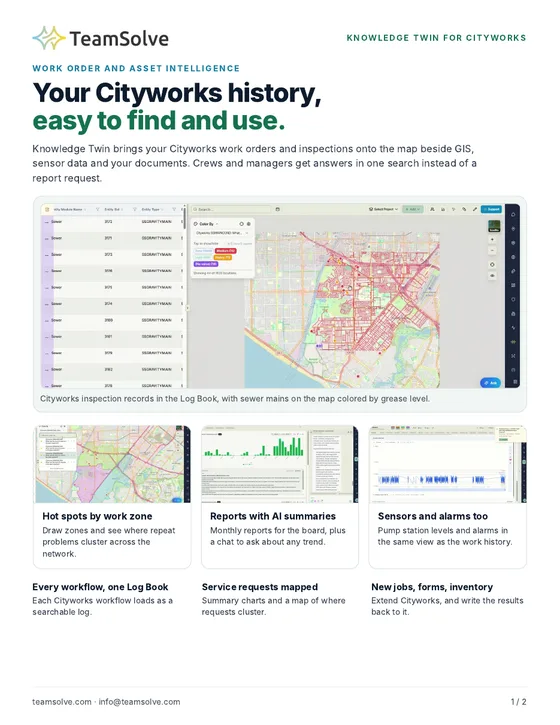
A two-page summary you can forward to operations, IT and management:
A short product walkthrough with on-screen captions. Easy to watch at your desk or share in a meeting.
Play the videoNo. Cityworks stays your system of record. TeamSolve reads your work orders and inspections, puts them on the map with your other data, and can write new forms back to Cityworks.
Your Cityworks administrator gives TeamSolve API access. Work orders and inspections sync and link to your GIS assets. Nothing is installed on your servers.
It is designed to be learned on the job. Crews search by pipe, manhole or address and see the results on a map. Our team trains your staff on your own data.
The full history of any pipe or manhole in one search, pipes colored by inspection results, hot spots by work zone, service request clusters, and pump station levels and alarms next to the work history.
Yes. Add jobs and forms such as hot spot cleaning cycles, plus an inventory register, and write the results back to Cityworks.
Some features, such as written report summaries and plain-language answers, use AI behind the scenes. Every answer points back to your own records so staff can check it, and your data is never shared with other customers.
TeamSolve holds ISO 27001 and SOC 2 Type II certifications.
Yes. Request a demo and ask about a trial on your own data.
A 30-minute walkthrough with our team, using examples close to how your utility works.
Prefer email? Write to info@teamsolve.com.